
On Linux the game builds with the compiler and SDL 1.2 libraries of your distribution. Pick your system in the bar above, and the page shows only its steps.
On Windows the game builds with MinGW-w64 from MSYS2: the compiler, CMake and the SDL 1.2 libraries all come from its package manager. The result is a Windows program like the release's. (Visual Studio isn't tested; MSYS2 is.)
This is how the release's Windows zip is made: on Linux, with llvm-mingw (Clang for Windows), downloaded by the build script. The scripts build the SDL libraries from their sources too, check every download against its SHA-256, and pack the zip.
The short way: with the tools from step 2 and Python 3, the installer does steps 3 to 5 in one go: it says what's missing, clones OXCE, applies the patch, builds, and sets up a profile that finds your Steam games.
git clone https://github.com/b0realis/OpenXcom3D.git
cd OpenXcom3D
python3 install.py --from-source
Then start it with ~/Games/OpenXcom3D/play.sh. Below is the same by hand, to see each part.
-
Have the original game ready
You need your own copy of X-COM: UFO Defense (UFO: Enemy Unknown) and/or X-COM: Terror From The Deep, from Steam or GOG. Nothing of it comes with OpenXcom3D.
What the game needs is the folder with
GEODATA,GEOGRAPH,MAPSandUFOGRAPHin it. On Steam that's:~/.local/share/Steam/steamapps/common/XCom UFO Defense/XCOM~/.local/share/Steam/steamapps/common/X-COM Terror from the Deep/TFDC:\Program Files (x86)\Steam\steamapps\common\XCom UFO Defense\XCOMC:\Program Files (x86)\Steam\steamapps\common\X-COM Terror from the Deep\TFD
The zip you build finds them in Steam by itself on the Windows machine, as the release does.
-
Install the build tools
Git, CMake, a C++ compiler, and the SDL 1.2 libraries (on current distributions that's sdl12-compat, SDL 1.2 on top of SDL2, which works fine):
Debian, Ubuntu, Mint
sudo apt install git cmake g++ make pkg-config libsdl1.2-dev libsdl-mixer1.2-dev libsdl-image1.2-dev libsdl-gfx1.2-dev zlib1g-dev libglu1-mesa-dev curl
Fedora
sudo dnf install git cmake gcc-c++ make pkgconf sdl12-compat-devel SDL_image-devel SDL_mixer-devel SDL_gfx-devel zlib-devel mesa-libGLU-devel curl
Arch, Manjaro
sudo pacman -S --needed base-devel git cmake sdl12-compat sdl_image sdl_mixer sdl_gfx glu zlib curl
Download MSYS2 from msys2.org and install it (the default folder,
C:\msys64, is fine). Then open MSYS2 UCRT64 from the Start menu: the prompt saysUCRT64. Every command on this page goes into that window.First bring MSYS2 up to date. If it closes the window, open MSYS2 UCRT64 again and run the same command once more:
pacman -Syu
Then the compiler, CMake, Ninja, pkg-config and the SDL 1.2 libraries:
pacman -S --needed git curl mingw-w64-ucrt-x86_64-gcc mingw-w64-ucrt-x86_64-cmake mingw-w64-ucrt-x86_64-ninja mingw-w64-ucrt-x86_64-pkgconf mingw-w64-ucrt-x86_64-SDL mingw-w64-ucrt-x86_64-SDL_image mingw-w64-ucrt-x86_64-SDL_mixer mingw-w64-ucrt-x86_64-SDL_gfx mingw-w64-ucrt-x86_64-zlib
Only the usual build tools: the Windows compiler (llvm-mingw 20260922, LLVM 23) is downloaded by the build script into the build folder, nothing is installed.
Debian, Ubuntu, Mint
sudo apt install build-essential git cmake pkg-config curl xz-utils zip
Fedora
sudo dnf install gcc make git cmake pkgconf curl xz zip
Arch, Manjaro
sudo pacman -S --needed base-devel git cmake curl xz zip
-
Get OXCE and apply the patch
OXCE at exactly the commit OpenXcom3D is made for, then the patch on top of it:
git clone --branch oxce-plus https://github.com/MeridianOXC/OpenXcom.git
cd OpenXcom
git checkout f0134ef8065799c7723953d64b565f7832bfd782
curl -LO https://raw.githubusercontent.com/b0realis/OpenXcom3D/main/openxcom3d.patch
git apply openxcom3d.patch
git applysays nothing when it works. The commit is OXCE 8.7.1 (2026-09-29); the patch adds the add-on (src/FirstPerson/), small hooks in OXCE, and the mod that switches it on (mod/OpenXcom3D/).The OpenXcom3D repository (its build scripts and the patch), with OXCE cloned into it as
OpenXcom, at exactly the commit OpenXcom3D is made for, and the patch applied:git clone https://github.com/b0realis/OpenXcom3D.git cd OpenXcom3D git clone --branch oxce-plus https://github.com/MeridianOXC/OpenXcom.git git -C OpenXcom checkout f0134ef8065799c7723953d64b565f7832bfd782 git -C OpenXcom apply ../openxcom3d.patch
-
Build it
In the
OpenXcomfolder (a few minutes):cmake -S . -B build -DCMAKE_BUILD_TYPE=Release -DDEV_BUILD=OFF -DBUILD_PACKAGE=OFF cmake --build build -j 4
The game is
build/bin/openxcom, with OXCE's own data next to it inbuild/bin/. With more memory, a bigger-jbuilds faster.In the
OpenXcomfolder (several minutes). The options matter, see below:mkdir -p build/sdl && cp /ucrt64/lib/libSDL.dll.a build/sdl/libSDL.a cmake -S . -B build -G Ninja -DCMAKE_BUILD_TYPE=Release -DDEV_BUILD=OFF -DBUILD_PACKAGE=OFF -DDEPS_DIR=none -DPKG_CONFIG_ARGN=--static -DEXTRA_XCOM_LIBS="-L$(cygpath -m "$PWD/build/sdl");$(pkg-config --static --libs libpng16 libjpeg libtiff-4 libwebp vorbisfile mad | tr -d '\r' | tr ' ' ';');-l:libFLAC.dll.a;-l:libmikmod.dll.a;-lwinmm" cmake --build build ldd build/bin/openxcom.exe | grep -o '/ucrt64/bin/[^ ]*' | xargs -r cp -t build/bin/
-DDEPS_DIR=none: without it, OXCE takes the Visual Studio libraries folder (deps) in its source and fails to link.- OXCE links MinGW builds statically, and MSYS2's SDL_image and SDL_mixer don't name the image and sound libraries they need.
-DPKG_CONFIG_ARGN=--staticandEXTRA_XCOM_LIBSadd them. - MSYS2's SDL 1.2 is
sdl12-compat, which has no static library: the first line copies its import library tobuild/sdl/libSDL.a, where the static link takes it, so the game usesSDL.dll. - FLAC and MikMod come from their DLLs (MSYS2's SDL_mixer asks for them so;
-lwinmmis Windows' own MIDI, which the old SDL used to bring along), and sdl12-compat runs onSDL2.dll(sdl2-compat) andSDL3.dll: the last line copies every DLL the game needs from MSYS2 (lddlists them) next to it.
The game is
build/bin/openxcom.exe, with OXCE's own data next to it inbuild/bin/.In the
OpenXcom3Dfolder: the Windows compiler and the libraries first (about 5 minutes, once), then the game, then the zip:sh tools/windows/build_libs.sh sh tools/windows/configure.sh make -C OpenXcom/build-win64 -j 4 sh tools/make_release_windows.sh
build_libs.shputs the compiler and the libraries inOpenXcom/build-win64/deps;make_release_windows.shchecks that the game needs nothing but Windows and its two DLLs, and packsrelease/OpenXcom3D-…-windows-x86_64.zip. -
Set up a profile and play
A profile folder of its own keeps your saves apart from any other OXCE. Put the mod in it and the game data next to the mod. Still in the
OpenXcomfolder:mkdir -p ~/openxcom3d/mods cp -r mod/OpenXcom3D ~/openxcom3d/mods/ ln -s "$HOME/.local/share/Steam/steamapps/common/XCom UFO Defense/XCOM" ~/openxcom3d/UFO build/bin/openxcom -data build/bin/ -user ~/openxcom3d/ -cfg ~/openxcom3d/
For TFTD, link its folder as
~/openxcom3d/TFTDthe same way. Steam elsewhere (~/.steam/steam, a Flatpak, another disk) or a game from GOG: link (or copy) its folder, the one from step 1, asUFOorTFTD.mkdir -p ~/openxcom3d/mods cp -r mod/OpenXcom3D ~/openxcom3d/mods/ cp -r "/c/Program Files (x86)/Steam/steamapps/common/XCom UFO Defense/XCOM" ~/openxcom3d/UFO build/bin/openxcom.exe -data build/bin/ -user ~/openxcom3d/ -cfg ~/openxcom3d/
For TFTD, copy its folder to
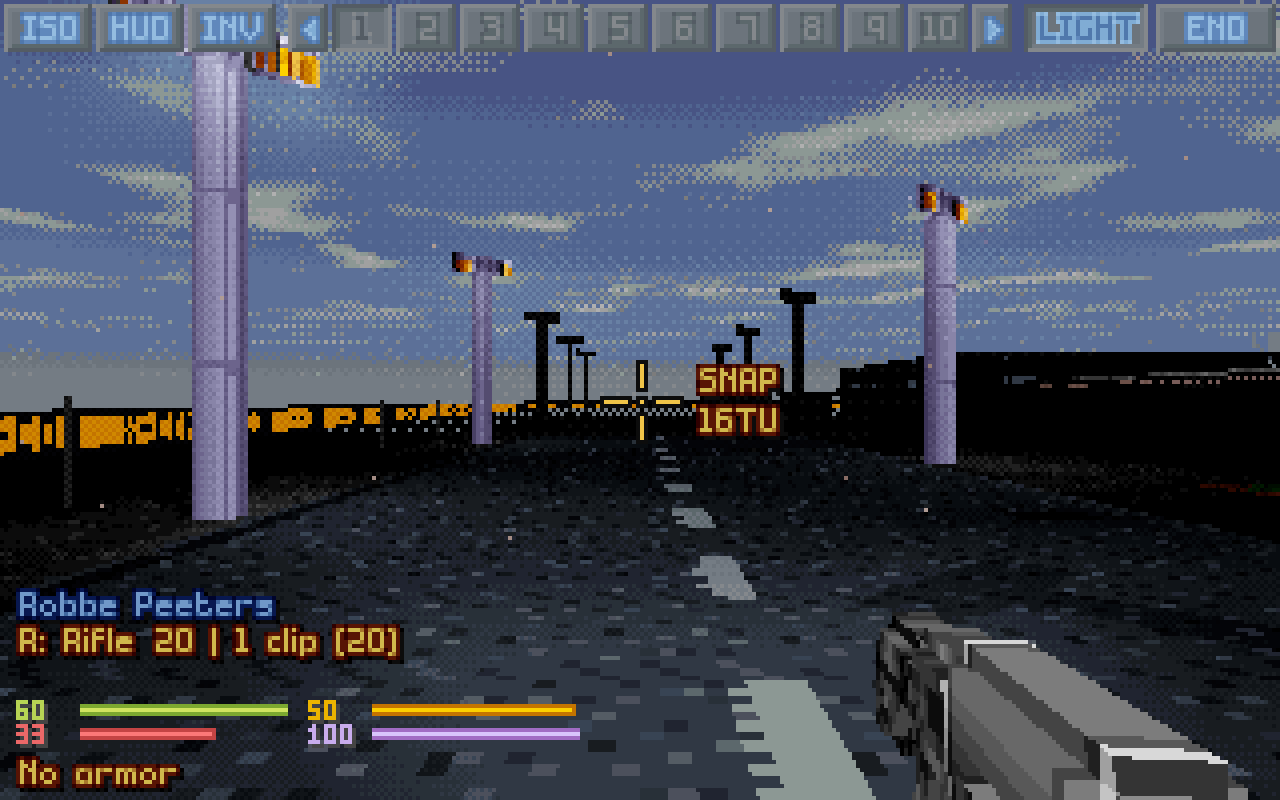
~/openxcom3d/TFTDthe same way. In MSYS2,~isC:\msys64\home\you, and/c/is drive C.The OpenXcom3D mod switches itself on the first time the game finds it. Start a game, or New Battle, and in battle press F8 (or the 3D button at the top left). Mouse to look, W A S D to walk, the left button to fire, F8 back to the map.
Copy
release/OpenXcom3D-…-windows-x86_64.zipto the Windows machine, unpack it somewhere of yours (Documents, the Desktop,C:\Games; not Program Files), and double-clickplay.bat.It finds UFO and TFTD in Steam by itself (or a
UFO/TFTDfolder next to it) and links them into itsuserfolder. In battle press F8. The game isn't signed, so Windows may warn the first time: More info, then Run anyway.